FlowFuse Expert Enhancements
Insights
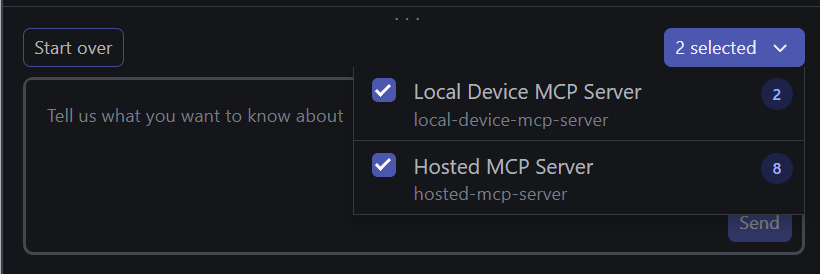
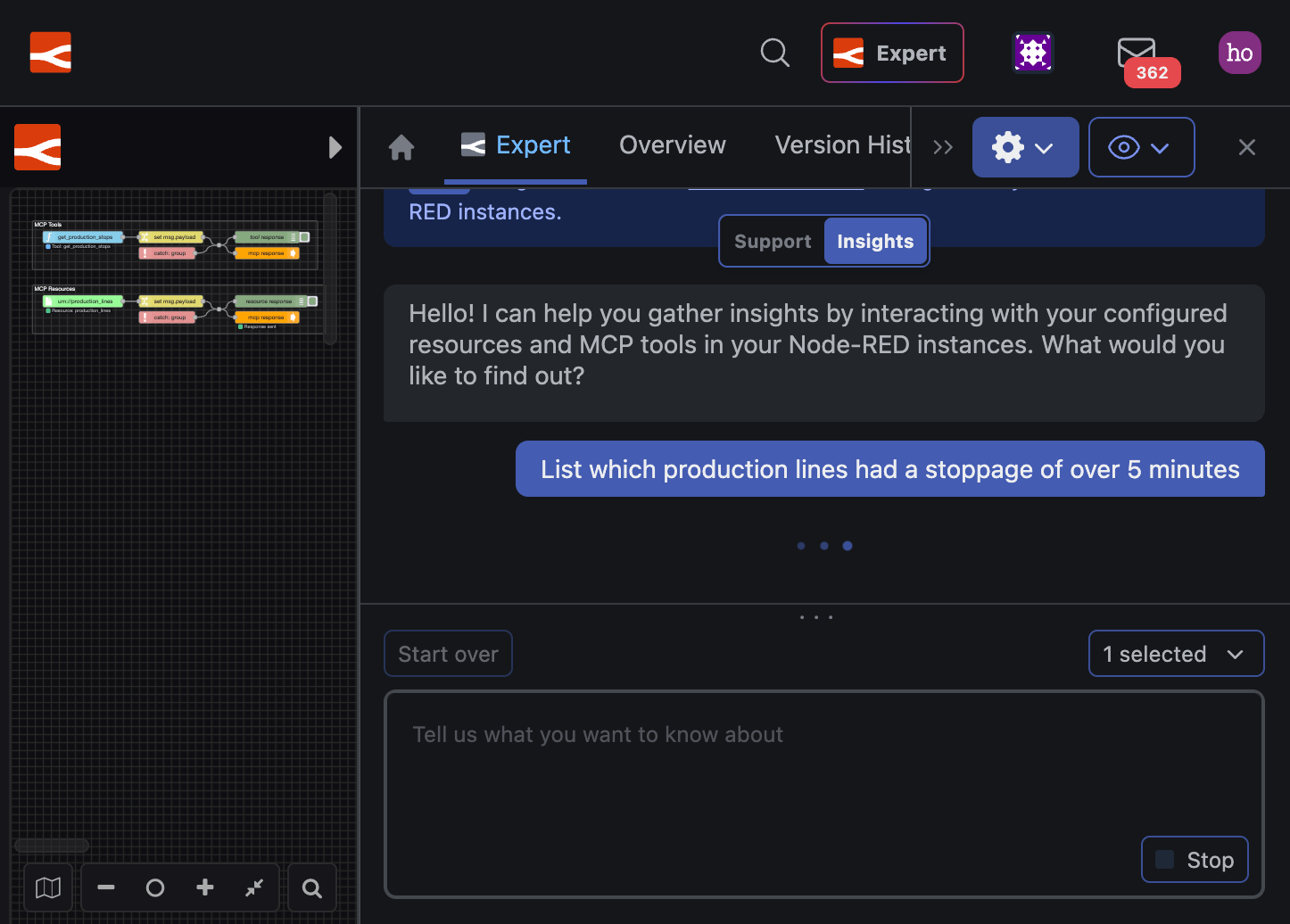
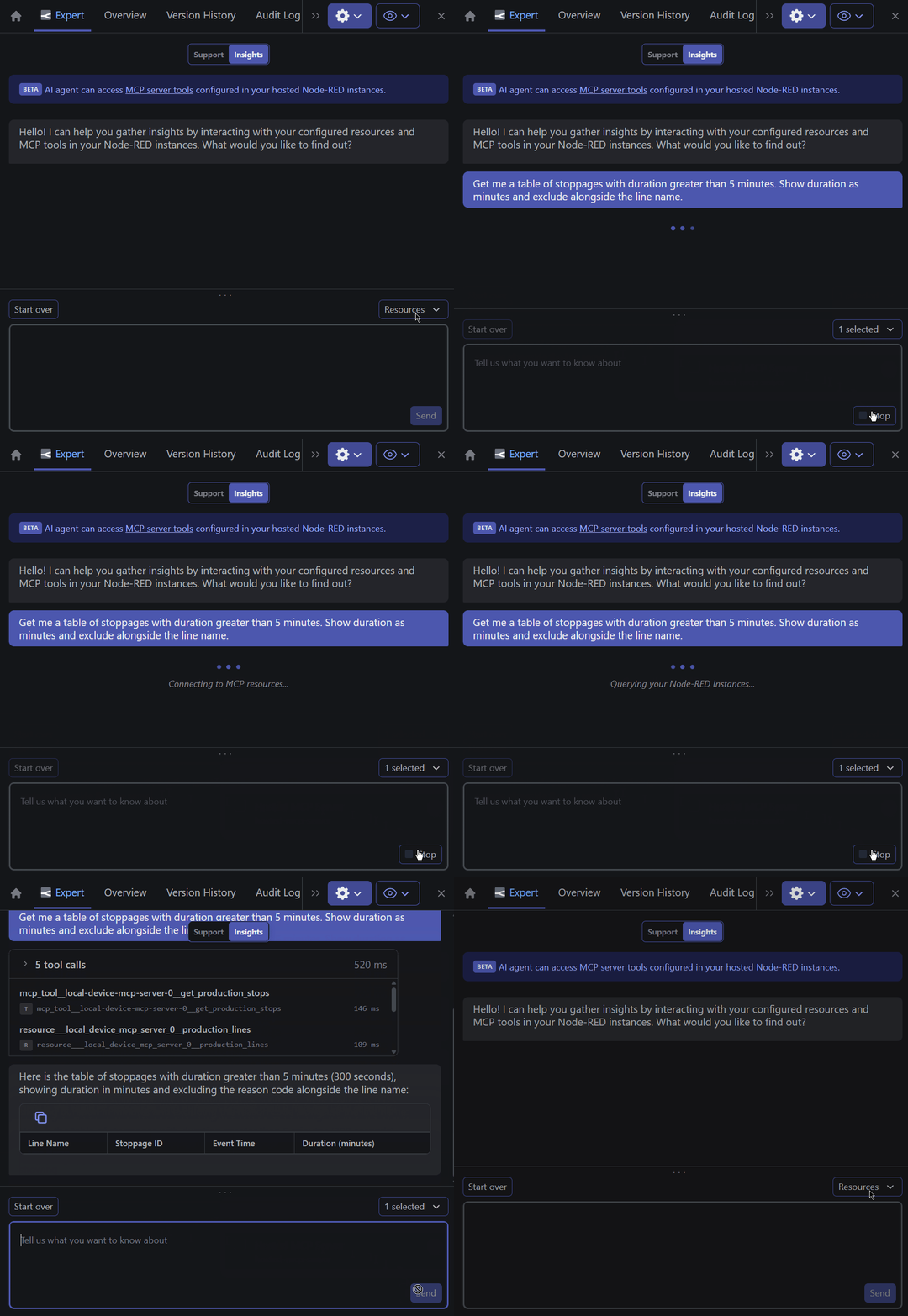
With the release of device-agent 4.0.0 and FlowFuse 2.32.0, FlowFuse Expert Insights Agent can now work with Remote Instances and Self Hosted Instances.
Important:
In order to achieve Insights on Remote Instances and Self Hosted Instances, we had to modify how data is routed through the platform. Your old Hosted Instances on FlowFuse Cloud will require an update to the latest Launcher Version (2.23.0 or greater) to continue working.
Platform Automations
The Expert can now take action on your FlowFuse platform directly. Instead of telling you which buttons to click, it can create instances, register devices, take snapshots, and manage applications on your behalf. You can ask the Expert to:
- Create hosted instances with the right type, stack, and template, optionally starting from a flow blueprint
- Register remote instances (devices) and assign them to applications
- Take and list snapshots of both hosted and remote instances
- Create applications, list what's running inside them, and check their audit logs
- Look up live status and logs for any hosted instance, or query a remote instance's state over MQTT
Behind the scenes, FlowFuse exposes over 30 automation tools covering instances, devices, applications, snapshots, teams, and configuration. When you ask the Expert to do something, it picks the right tools, calls them with your permissions, and reports back.
Support Agent
We have added three ways to stay in control of what the Expert does while it works alongside you in the editor.
Plan Mode
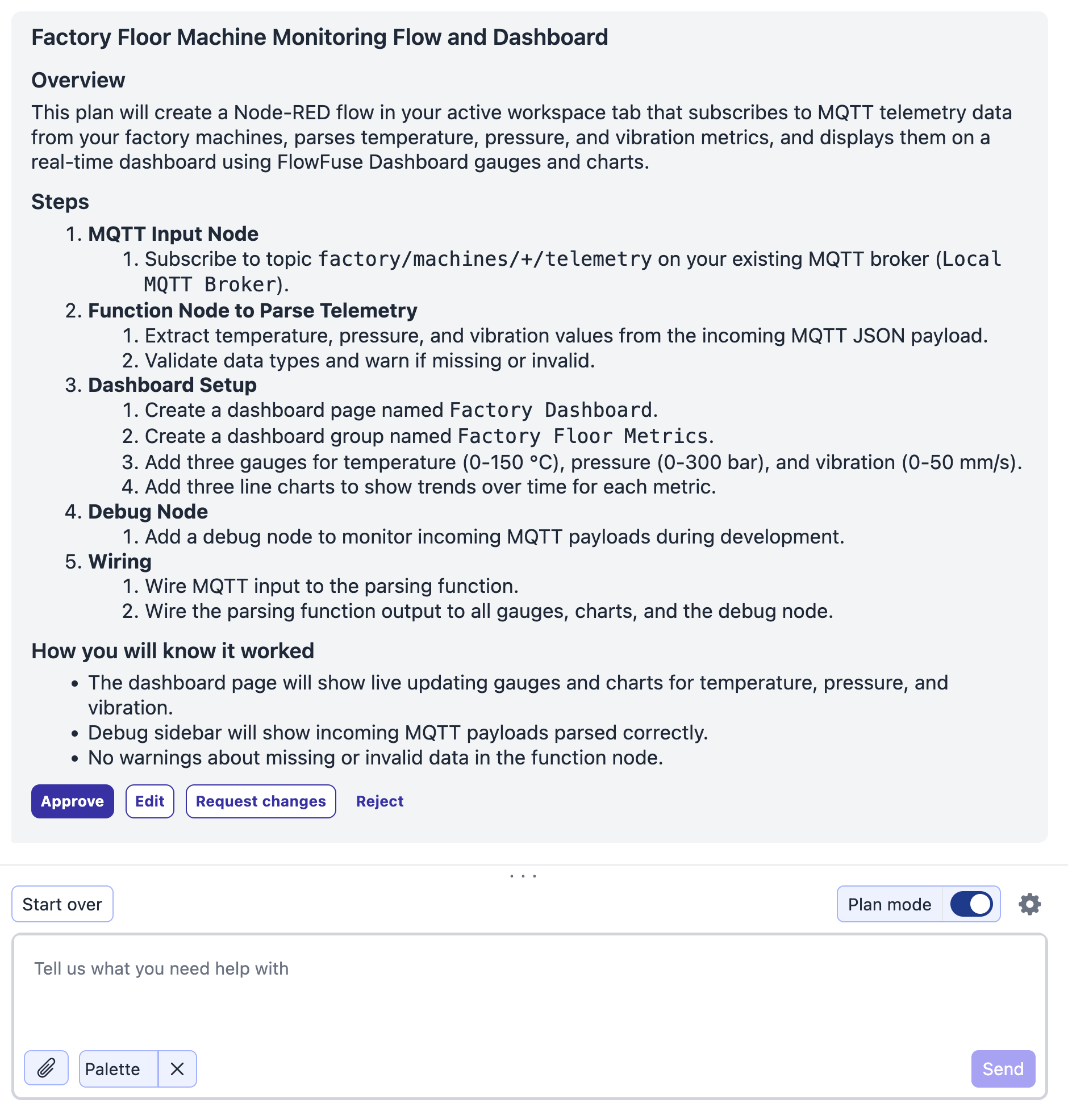
The Expert can now propose a plan before it changes anything, so you can review the approach before it touches your flows.
Turn on Plan Mode with the toggle in the chat composer. Instead of acting straight away, the Expert lays out what it intends to do as a plan you can read through. From there you can:
- Approve: the Expert proceeds with the plan.
- Edit: open the plan in the composer, adjust the wording yourself, and send it back.
- Request changes: describe what you would like to be different, and the Expert proposes an updated plan.
- Reject: discard the plan and start again.
This is ideal for larger or unfamiliar changes, where you want to agree on the approach before any work happens.
Clarifying Questions
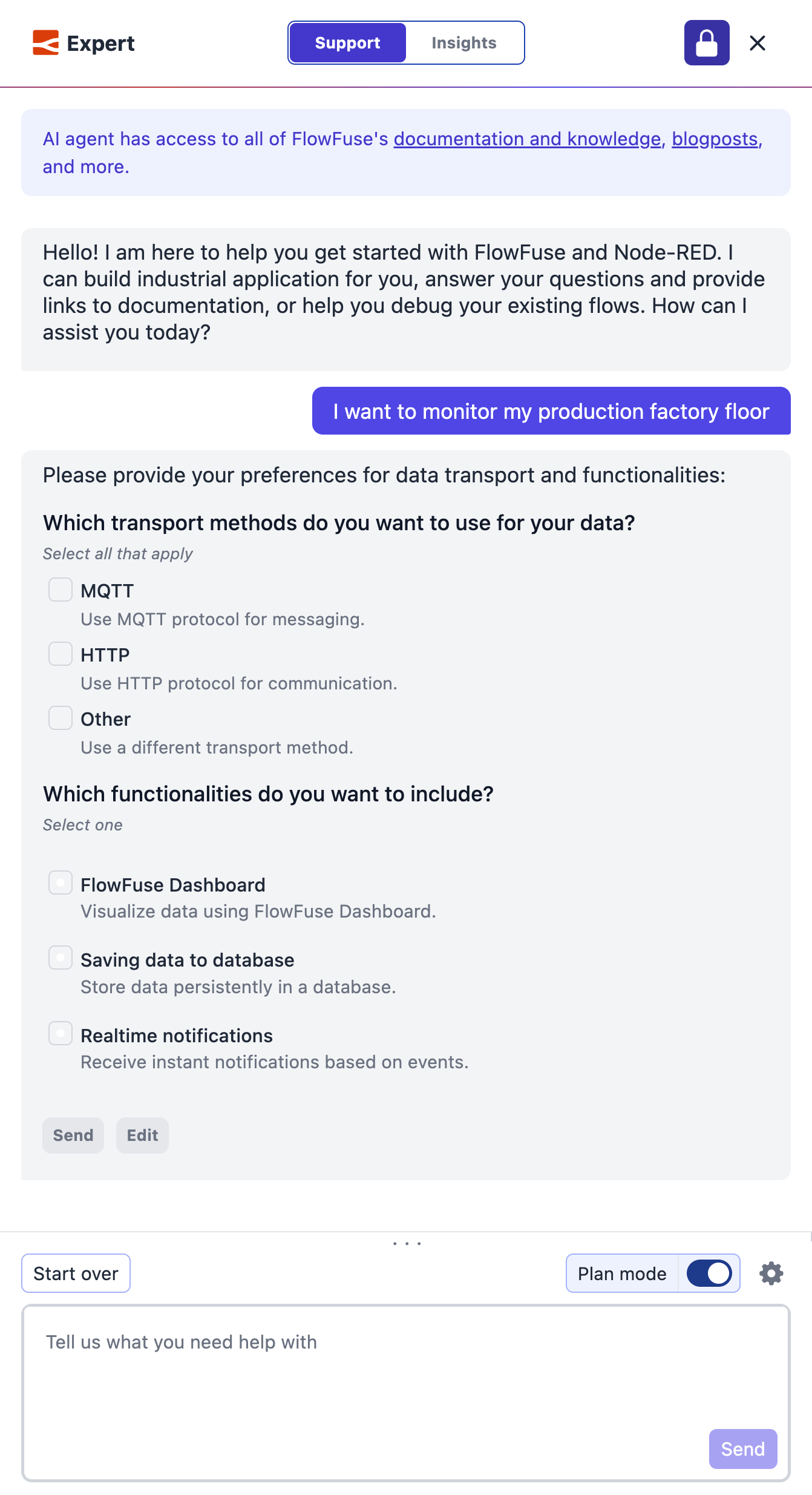
The Expert now asks clarifying questions when a request could go more than one way, rather than guessing and building the wrong thing.
When it needs more detail, the Expert presents up to four questions in a single turn, each as a set of options you pick from, either single choice or multiple choice. You answer them all together, and it uses your answers to get the result right the first time. For example:
- Which flow should this run in?
- Should the incoming payload be stored, forwarded, or both?
- Which of these nodes should trigger the alert?
You can revisit and change your answers before continuing, and you decide the pace: use the follow-up questions setting in the composer menu to have the Expert ask everything all at once or one at a time.
Human in the Loop
You are now in charge of exactly which actions the Expert is allowed to take on your flows, so no change happens that you did not permit.
When the Expert wants to run an action that needs your sign-off, it pauses and shows an approval card in the chat. The card names the action, whether it reads, writes, or deletes, and the exact details of what it will do, with four choices:
- Allow or Deny: approve or refuse this one action.
- Always allow or Always deny: apply your choice to every matching action.
The Expert waits for your decision however long you need, and you can cancel a pending action at any time with the stop button.
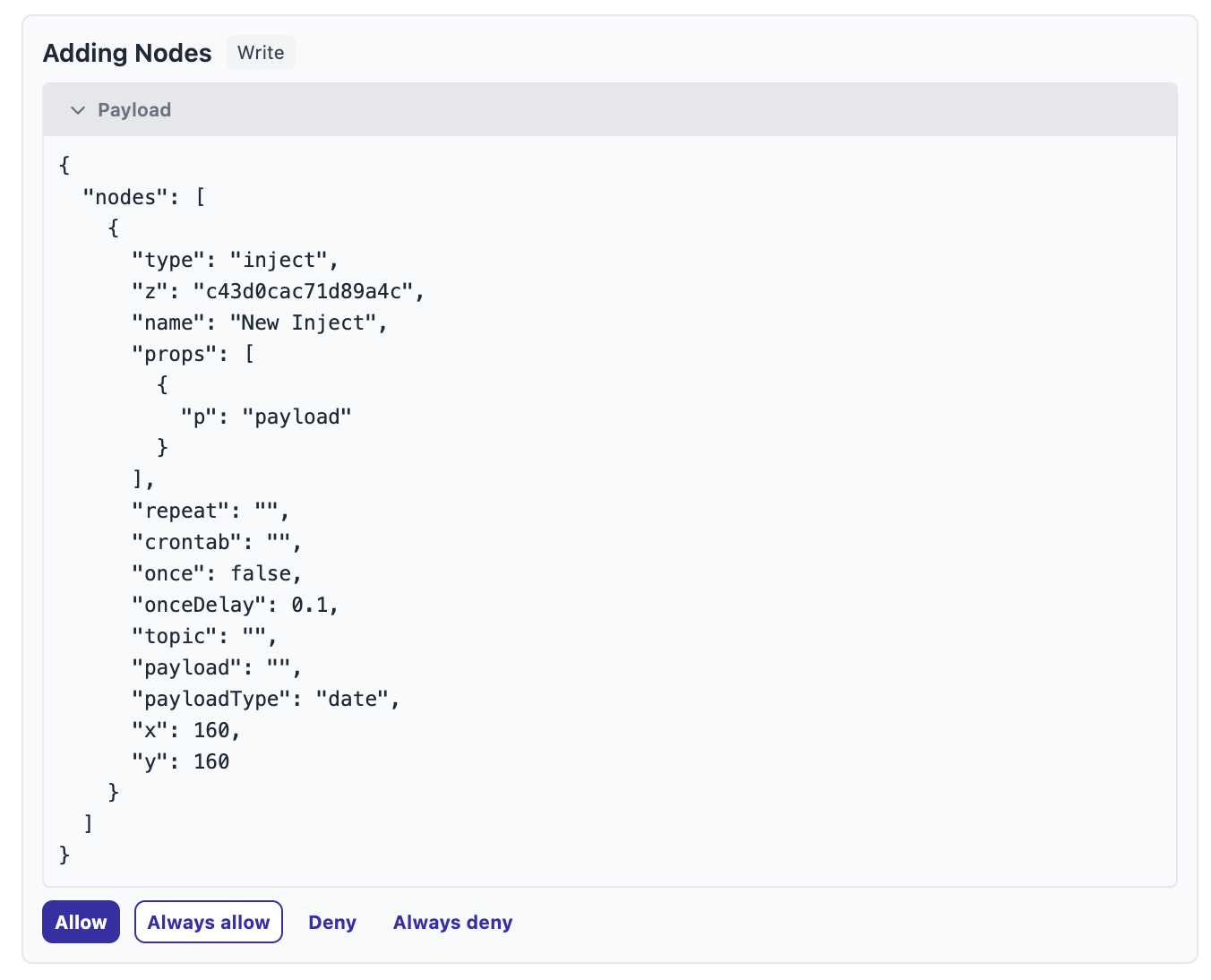
An Always allow or Always deny you set from a card applies to the current chat only, and resets when you refresh or start over. If you want to keep it, click Make permanent to save that choice for future chats.

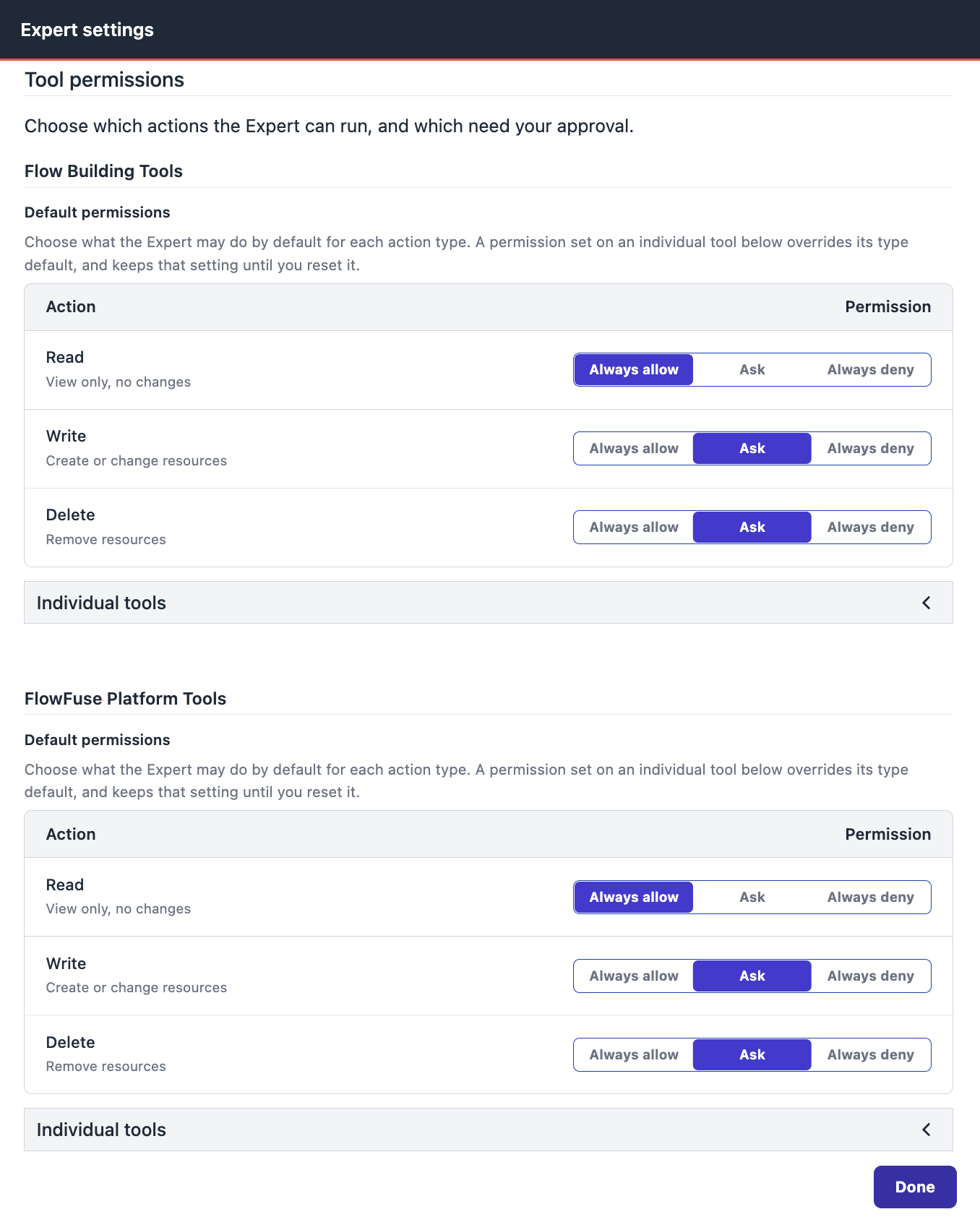
You can also set your permissions ahead of time. Open Tool permissions in the Expert settings and choose a default for Read, Write, and Delete actions: always allow, ask, or always deny. Out of the box the Expert can read freely but asks before it writes or deletes anything. Flow building and platform actions each have their own defaults, and you can expand Individual tools to override the default for a specific action, which then stays put until you reset it. These settings are saved for you and persist across chats within the team you are working in; switching to another team starts from the defaults again.
All of these new features are available to FlowFuse Cloud users and Self-Hosted users from v2.32.
Written By:
Published on:
Recent Updates:
- Connect Pipelines to Any Git Server
- Device Agent v4 released
- Updated: Upcoming Scheduled Server Maintenance on July 11th, 2026
- Dark Mode